Resume & CV
ATS Resume Scanner: What It Really Checks, and How to Use One Without Chasing the Score
Use the report to find weak matches and parsing risks, not to predict an interview.
This guide is for you if you apply online, hear little back, or want to know how much to trust an ATS resume checker. It explains what the tool can test, what it cannot prove, and how to improve your resume for one specific job without stuffing keywords or weakening your work story.
Written By Ita John
Founder, CVJury
Published 6 April 2024Updated 13 October 202612 min readPrimarily for a US resume audience

What You Need to Know
An ATS resume scanner compares your resume with a job description and flags possible parsing, keyword, skill, and evidence gaps. It does not run the employer’s private applicant tracking system, and its resume score cannot tell you whether you will pass, get an interview, or get hired.
What it can check
Readable text, section labels, contact details, job-title wording, hard skills, soft skills, and resume keywords.
What it cannot prove
Your true qualification level, the employer's settings, the strength of other candidates, or a hiring manager's decision.
Best use
Compare two truthful drafts, fix real gaps, review the document as a human, and stop before score-chasing harms the resume.
What Is an ATS Resume Scanner?
An ATS resume scanner is a third-party tool that compares your resume with a job posting. It may check whether the file can be read, whether central qualifications appear, and how closely your wording matches the job description.
The scanner usually creates a resume score or match score. It may also list missing skills, resume keywords, formatting warnings, contact details, education, job title, work experience, and measurable results. You may also see the same type of tool called an ATS checker, ATS scanner, job scanner, or resume checker.
That report can be useful in a crowded job search. It gives you a repeatable check before a serious job application. The limit is just as important: the scanner is judging its own model, not the employer's full process.
Why this matters
Jobscan detected an applicant tracking system on 489 of 500 Fortune 500 career websites in its 2025 report. That finding shows very high ATS use among the largest US companies. It does not mean that 97.8% of resumes are rejected or that every employer screens in the same way.
ATS Resume Scanner vs Applicant Tracking Systems
A resume scanner and an employer's applicant tracking system are not the same product.
| Question | Third-Party ATS Resume Checker | Employer ATS Software |
|---|---|---|
| Who controls it? | You choose the resume, job description, and edits. | The employer chooses the system, settings, fields, and review process. |
| What does it see? | The documents you upload and the checks built into that website. | Your application, job-post answers, recruiter notes, workflow stage, and employer-set data. |
| What does the score mean? | How well your documents fit that scanner's rules. | There may be no score, or the employer may use search, filters, ratings, rules, or AI-assisted matching. |
| Can it guarantee an outcome? | No. | No software can guarantee a human hiring decision. |
Jobscan describes its scanner as a tool that mimics common ATS behavior and compares a resume with a job description. That is a useful description: a simulation can help you prepare, but it cannot reproduce private settings on every employer website.
How Applicant Tracking Systems May Handle Your Resume
Applicant tracking systems vary by vendor and employer. Employers configure these systems differently, and some rely more on recruiter searches and filters than a match rating. A common application route can include these actions:
Step 1
Receive
Your online form and resume enter the hiring system.
Step 2
Parse
Software may extract your name, titles, dates, education, and skills.
Step 3
Store
Your application becomes a record in the employer database.
Step 4
Search or match
Recruiters may use keywords, filters, ratings, or AI support.
Step 5
Decide
Rules and people move, hold, or reject the application.
Do not turn that sequence into a universal rule. Greenhouse says its Talent Matching feature is assistive AI and does not automatically advance or reject candidates. The same platform also supports application rules that can auto-reject based on selected job-post answers. Both statements can be true because a match rating and a knockout rule are different parts of the hiring process.
A strong ATS resume can still fail a knockout question about work authorization, location, a required license, or another fixed condition. A high scanner score cannot see every answer or rescue an application that misses a mandatory requirement.
What an ATS Resume Checker Can Check
A useful ATS resume checker should help you answer three practical questions.
Parsing
Can the tool read the main text, headings, contact details, dates, and job titles in the right order?
Resume match
Do the central requirements from the job description appear in the resume where they are supported?
Evidence
Are hard skills, soft skills, and resume keywords attached to real duties, scale, or measurable results?
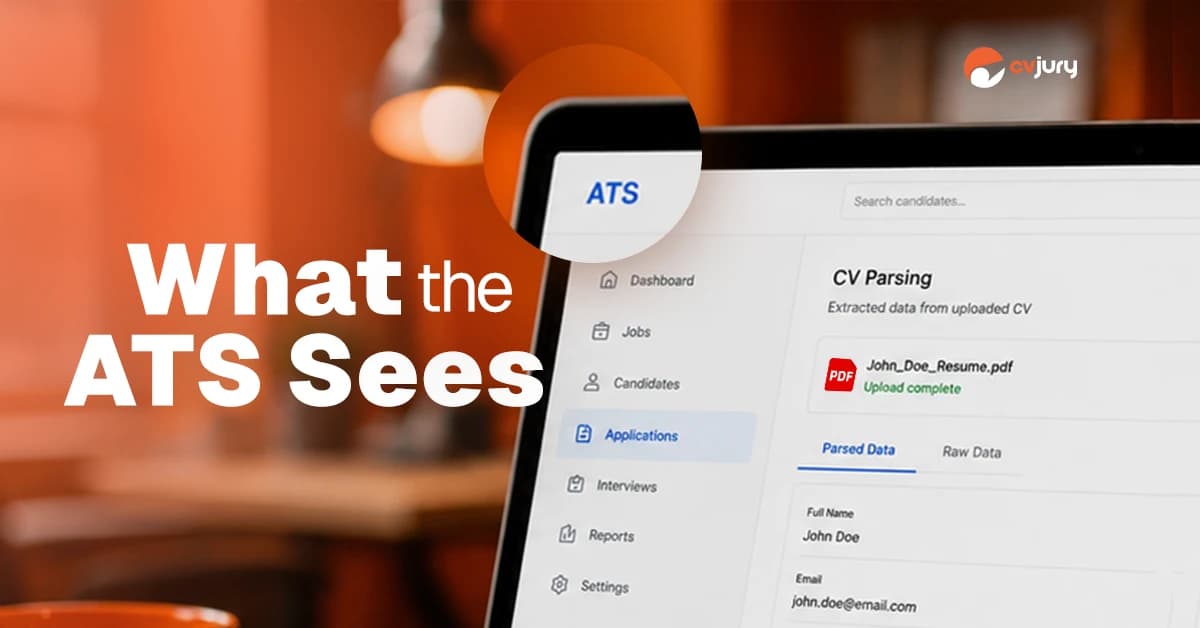
1. Resume Upload and Parsing
The scanner may flag image-only files, unreadable characters, missing section headings, or contact details placed where software may miss them. Greenhouse lists file size and formatting issues among reasons a resume parse can fail.
2. Job Title, Contact Details, and Standard Headings
Use a truthful target job title when it matches the work you are seeking. Keep your name, email address, phone number, and location easy to find. Standard resume section headings such as Summary, Work Experience, Education, and Skills help both software and human readers understand the page.
3. Hard Skills, Soft Skills, and Missing Skills
An ATS scan can compare skills found in the resume with skills found in the job description. It may catch a genuine wording gap, such as writing "project office" when the job posting repeatedly uses "Project Management Office (PMO)." It may also miss related terms or reward copied wording. Review each gap before changing anything.
4. Work Experience, Keywords, and Measurable Results
The best resume matches do more than repeat the right keywords. They show where you used a skill, what you handled, and what changed. Your work experience should make the link visible through bullet points, projects, outcomes, and relevant numbers.
What Is a Good ATS Score?
A score is a signal, not a recruiter’s verdict.
Use the score and report to identify what may need improving in your resume, such as missing skills, weak evidence, or formatting issues. Do not treat the score as a hiring probability.
| A Score May Help You Notice | A Score Cannot Reliably Predict |
|---|---|
| Important language missing from your resume | Whether a recruiter will invite you to an interview |
| A weak resume match for one specific job | The quality or size of the candidate pool |
| Possible parsing or section-label issues | The employer's private ATS configuration |
| Skills listed without supporting proof | A hiring manager's preferences |
| Improvement between two honest versions | Your answer to a knockout question |
A good ATS score is not a shared industry threshold. No ATS scan score can prove that your resume will pass or bring more interviews. There is no universal ATS compatibility score. Some tools, including the current CVJury report, use 80% as an internal editing guide. Another ATS checker may use 75%, 85%, or a different scale. Those numbers are not shared industry pass marks.
A lower score can belong to a qualified person whose wording differs from the posting. A higher score can belong to someone who copied terms without proving them. Your goal is not a perfect match. Your goal is a readable, relevant, truthful resume that a human recruiter can assess quickly.
How to Use an ATS Resume Scanner Without Chasing the Score
Use an ATS scan to optimize your resume for one job in this order. The aim is a stronger application, not a higher number alone.
1
Start with a master resume
Keep one longer source document with your roles, projects, skills, and results. Save a master version before tailoring so you do not lose useful work experience.
2
Choose one specific job
Use one real job description per scan. Save the full job posting from the employer website before it disappears, including required qualifications, preferred skills, location, and application instructions.
3
Check the parsed text first
Before you study the score, check whether your name, contact details, headings, employers, job titles, dates, and education appear in the correct order. A bad parse can make later recommendations less useful.
4
Use the CVJury Evidence Filter
Sort each scanner suggestion into one of three groups: required and supported, relevant but optional, or unsupported.
5
Add the right keywords with proof
Use the employer's wording when it accurately describes your work. Attach each important term to an action, tool, scope, or result. Include both an acronym and full name when it helps a reader.
6
Fix the top third and recent work experience
Make your target direction easy to see. Put recent and relevant evidence early. Do not force a two-page resume into one page merely to satisfy a scanner.
7
Rescan once, read it as a human, and stop
Check that the new version improved through honest relevance, not repetition. Stop when the file parses, central requirements are easy to find, claims have proof, and the wording still sounds like you.
Required and supported
Strengthen it and show proof.
Relevant but optional
Add it only where it improves clarity.
Unsupported
Reject it, even if the score might rise.
”
My rule is simple: only add a suggested skill when you can prove it with real work, training, tools, results, or examples.Ita John, Founder of CVJury
Worked Example: Turn a Missing Skill Into Proof
Say an operations manager is applying for a role that asks for cross-functional leadership, process improvement, and KPI reporting. The resume scanner flags all three phrases as missing.
Before
Responsible for working with different departments and preparing monthly reports.
After
Led cross-functional process-improvement reviews across operations, finance, and customer support; introduced monthly KPI reporting that helped department heads identify service delays and assign corrective actions.
Cross-Functional LeadershipKPI Reporting
Copying the three phrases into a skills section may improve a keyword count but adds little proof. The revised bullet shows the action, the teams, the reporting method, and how the information was used.
A False Positive and a False Negative
Apply the CVJury Evidence Filter: strengthen supported wording, question optional wording, and reject unsupported additions.
| Scanner Result | What Happened | Your Response |
|---|---|---|
| False positive | The score rises after you paste "stakeholder management" into a skills list, but the resume has no supporting example. | Add real evidence or remove the phrase. |
| False negative | The resume proves vendor coordination, yet the tool does not recognize it as stakeholder management. | Use the job's wording once if it is accurate, then keep the stronger proof. |
What the CVJury Resume Scanner Shows
The CVJury Resume Scanner compares your resume with a target job description. Its current report includes a Similarity Score, ATS Best Practice Match, Sales Index Match, Hard Skills Match, Soft Skills Match, skill frequencies, suggested skills, and a skills-gap table.
Product screenshots and report labels on this page reflect the CVJury Resume Scanner report available in July 2026.
The report may also check resume file type, contact details, matching job title, education requirements, date formatting, standard headings, special characters, organization name and website, word count, measurable results, action verbs, and clichés.
How CVJury builds the Similarity Score
CVJury’s Similarity Score is the combined total of four report categories: ATS Best Practice Match, Sales Index Match, Hard Skills Match, and Soft Skills Match. Suggested skills sit outside the score because they are ideas for review, not skills confirmed in your resume. Sales Index Match reviews how effectively the resume presents the candidate by checking resume length, measurable results, action verbs or power words, and clichés or buzzwords.
ILLUSTRATIVE EXAMPLE

ILLUSTRATIVE EXAMPLE

ILLUSTRATIVE EXAMPLE

A resume builder or live editor can help you make changes after the scan. The decision still belongs to you. Review every recommendation before you change your resume.
Common ATS Resume Scanner Myths
What Is True
The Myth
Eighty percent may be a product target. There is no shared pass score across applicant tracking systems or hiring teams.
“A score of 80 or higher means my resume will pass.”
That figure is widely repeated without a reliable original study. Software may parse, store, search, rate, filter, or apply employer-set rules — don't turn those different actions into one rejection claim.
“The ATS rejects 75% of resumes before a person sees them.”
Relevant keywords help findability, but repetition does not prove skill. A human recruiter still needs a credible reason to move you forward.
“Matching every keyword will get me more interviews.”
An ATS-friendly resume can still be vague, generic, poorly targeted, or unsupported. Readability is the entry check, not the whole case.
“A plain ATS-friendly resume is automatically strong.”
How to Check That Your Resume Is ATS-Friendly
A scannable resume does not need to be plain or one page. An ATS-friendly resume does need to protect the information the employer must read.
- Use standard headings such as Summary, Work Experience, Education, and Skills.
- Keep your name and vital contact details in the main document body.
- Use a clear reading order, standard fonts, and consistent dates.
- Keep important text out of graphics, icons, headers, footers, and text boxes.
- Check that a PDF is text based, not a picture of a page.
- Follow the file type and size instructions on the employer website.
- Use bullet points to show actions and measurable results.
Greenhouse lists formatting issues, embedded images, and large files among causes of unsuccessful resume parsing. For detailed formatting help, read CVJury's ATS-friendly resume guide and best resume format guide. For stronger evidence, use the resume accomplishments guide.
When a Resume Scanner Helps, and When It Misleads
Dos
- You are applying to one well-defined role.
- The job posting lists specific skills or qualifications.
- Your resume uses different wording for similar work.
- You need a structured check before an important application.
- You want to compare two honest drafts.
Don'ts
- The job description is vague or copied from an old post.
- You do not meet a central requirement.
- You treat every suggestion as mandatory.
- You optimize for a number instead of a human reader.
- You expect one generic resume to fit several job titles.
Use a scanner when it identifies a specific issue you can verify. Ignore any suggestion that asks you to add unsupported experience or write for the score instead of the recruiter.
Before You Upload Your Resume
Your resume upload may contain personal or confidential information. Before you use a free ATS resume checker, free resume scanner, or paid tool, check the scanner website and privacy policy.
- Remove your street address, identification numbers, references' details, and data the comparison does not need.
- Do not upload confidential client, employer, patient, or customer information.
- Check how long the website keeps uploaded files and how you can request deletion.
- Check whether the service uses uploaded data to train artificial intelligence models.
- Use a clean copy of the job description rather than private recruiter notes.
Privacy terms differ. Do not assume that every resume scanner handles data in the same way.
ATS Resume Scanner FAQs
Does matching the exact job title in a resume increase callback rates significantly?
Not by itself. A truthful target job title in your headline or summary can help an ATS resume checker and a human recruiter understand your fit when the job description uses the same wording. But there is no reliable independent evidence that copying the title alone significantly increases callbacks. Keep historical job titles and work experience accurate.
Should I include both an acronym and the full skill name?
Use both once when the full name and acronym are common, such as "Project Management Office (PMO)." Applicant tracking systems and a resume checker may recognize either version, so writing both can improve clarity around important resume keywords. Do not repeat them only to raise a score.
How do I check that my resume is ATS-friendly?
Use an ATS resume checker to compare the file with one job description. Check the parsed text, standard section headings, contact details, work experience, relevant keywords, and missing skills before reviewing the score. An ATS-friendly resume should remain readable, truthful, and easy for a person to assess.
What is the best ATS scanner for resumes?
The best ATS resume scanner is one that compares your resume with a specific job description, explains its findings, and separates confirmed matches from suggested skills. Choose a resume checker that helps you review the evidence rather than promising a job interview or a perfect ATS compatibility result.
Is there a free ATS scanner?
Yes. A free resume scanner can provide a useful first check when it compares one resume with one job posting and shows where the match may be weak. Read the privacy terms, verify each suggestion, and avoid any free ATS resume checker that presents its score as a hiring verdict.
Should I submit a PDF or Microsoft Word document?
Follow the employer's instructions. Many applicant tracking systems accept text-based PDF and Microsoft Word DOCX files. For better ATS compatibility, avoid image-only files and keep essential contact details and work experience out of graphics, headers, and footers.
Key Takeaways
- An ATS resume scanner compares your resume with a job description. It does not run the employer's private system.
- A resume score is a diagnostic signal, not a pass mark or interview forecast.
- Fix parsing problems, central skill gaps, and weak evidence before small score differences.
- Use relevant keywords only when your work experience supports them.
- Use the CVJury Evidence Filter: strengthen required and supported terms, add optional terms only for clarity, and reject unsupported suggestions.
BEST NEXT STEP
Check Your Resume Against One Real Job
Upload your resume and the job description to see ATS-related checks, hard skills, soft skills, measurable results, suggested skills, and possible gaps. Use the report to guide a better human review.
Sources and Methods
Greenhouse Support, “Unsuccessful resume parse”
Used for resume parsing failure guidance.
Updated March 2, 2026 View source
Greenhouse Support, “Talent Matching”
Used for assistive-AI matching guidance.
Updated June 2, 2026 View source
Greenhouse Recruiting glossary
Used for application rules covering auto-reject, auto-advance, and auto-tag. View source
Workday, “Candidate Experience Agent”
Used for required knockout question guidance. View source
Jobscan, “2025 Applicant Tracking System Usage Report”
Detected an ATS on 489 of 500 Fortune 500 career websites. View source
Jobscan Resume Scanner
Used only to show how a commercial scanner describes resume-to-job comparison. View source
CVJury, “First-party scanner report”
Generated in July 2026 and used for the product screenshots and output descriptions on this page.
July 2026
About the author
Ita John
Founder, CVJuryDr Ita John is the founder of CVJury. He previously worked as an IT recruiter in the London market for nearly seven years at Star Jobs Recruitment and founded the NECareersConnect careers platform. He brings experience in recruitment, practical project management, and business development. Earlier in his career, he taught business and economics at Oxford Brookes University and in Nigeria for over a decade. He lives in England with his wife and three sons. He earned a PhD in Entrepreneurship, International Business, and Economics from Oxford Brookes University. See how his background shapes the work he does for you. Read his story.
Connect
 LinkedIn
 Happenstance